How I worked with an AI agent to turn a survey into a game
Use JourneyAI, a browser-based self-assessment, to plan a prototype of your own. Sketch one complete task, give an AI assistant a bounded brief, and use two worked examples to check its first version.
Before you start
Low code required
Sketch one complete task and prepare two examples to check a prototype.
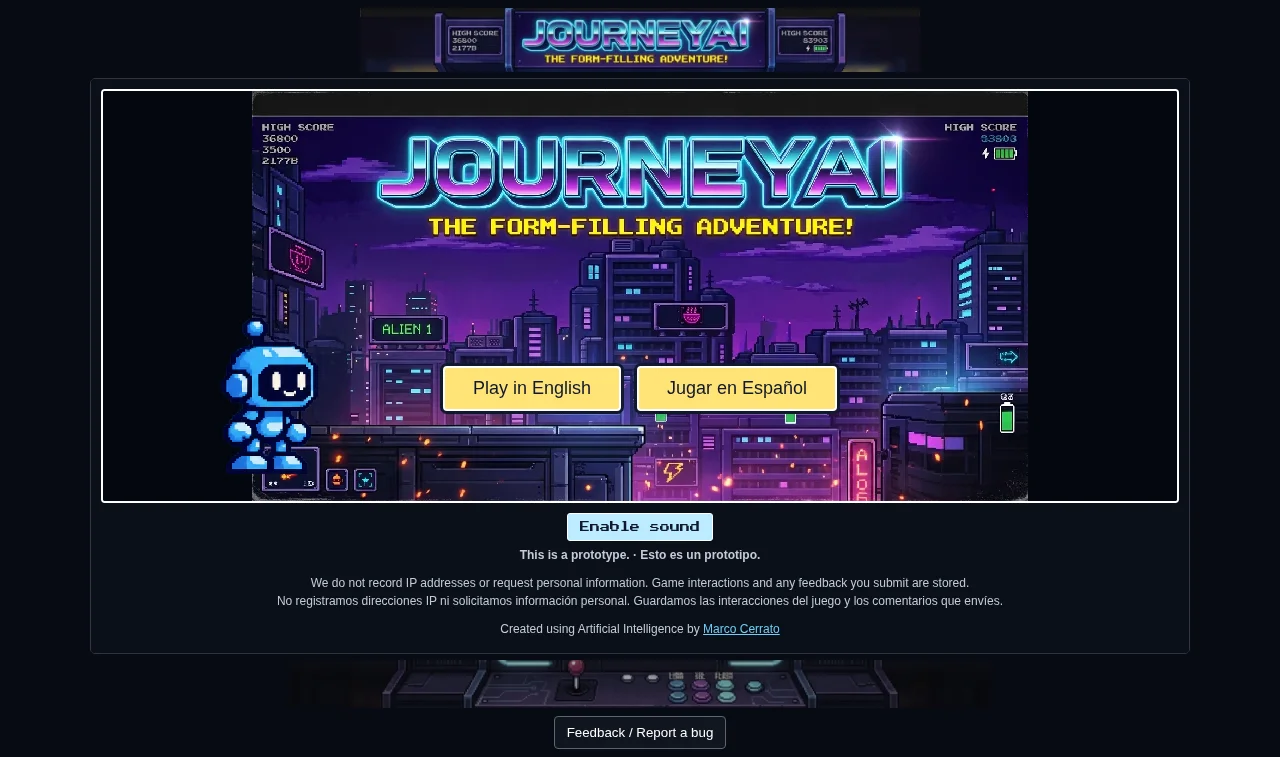
The purpose of JourneyAI was simple: make a boring task, filling out a survey, feel more engaging. I started with the survey itself. People were being asked to answer questions about how they use AI, but a list of questions and a result at the end felt like a chore. I wanted the experience to be more interactive. What is more interactive than a video game?
That question became the starting point for JourneyAI, a browser game built around an AI confidence survey. The project taught me as much about working with an AI agent as it did about designing a game. The useful part was moving through decisions, trying each version, keeping track of what we learned, and deciding what to change next.
Start with the task that feels like a chore
Before thinking about robots, planets, or music, I had to be clear about the task I wanted to improve. The survey was the underlying activity. The game was a way to make answering it feel like a journey rather than a form.
I began by thinking about the complete experience: a person enters, answers questions, understands what is happening, and leaves with a result that suggests what they might do next. That gave me a way to judge feature ideas. A visual effect could make the game feel more alive, but it mattered less than making the questions clear and the result understandable.
This is a useful way to begin your own project. Describe the task that frustrates someone, then write down what a better experience should let them do. Keep that outcome visible while you explore possible solutions.
Notice where the task itself causes friction
While working through the survey, I saw a problem beyond the format. Sometimes a question needs clarification before you can answer it. A player might wonder what a phrase means or what kind of example the question is asking for. If they guess, their answer may not reflect what they actually understand.
That led to an optional guide. The player can ask an AI agent what a question is asking and receive an explanation. The guide helps with understanding, while the assessment’s scoring rules stay separate. The agent does not choose an answer or determine the player’s level.
This feature began with a user need, then became a technical learning opportunity. I had to explore how to connect a language model to the application, send it enough context to explain the current question, and make a useful response available without letting it take over the survey.
Connect the language model with clear boundaries
Connecting an AI model involves more than calling an API. The application needs a key to access the service, and that key must be handled carefully. I learned to keep secrets in a local .env file and ensure .env is listed in .gitignore, so it does not get committed with the project code. The application reads the key from its environment when it runs.
The guide also needed a defined job. It could explain the wording of a question, but it should not answer on the player’s behalf or change the assessment result. Keeping the scoring deterministic meant the same submitted answers always followed the same rules, whether the optional guide was available or not.
I also had to consider token use. Each model request can consume tokens, so I wanted the guide to respond to a specific question rather than hold an open-ended conversation that might drift or use more than necessary. Supplying the current question and a narrow instruction helped focus the response. A clear boundary also made it easier to decide what the model should not receive.
The practical lesson is to define the model’s role before wiring up the API. Decide what information it needs, what answer it should return, and which decisions remain in ordinary application logic. Then test both a useful response and the case where the model is unavailable.
Treat the work as a project that can change
A project like this changes as you try it. The first idea is rarely the final shape. I needed to add a feature, see what happened, revise the plan, and still remember why earlier decisions had been made.
Project management practices helped. I broke work into tasks with a clear outcome, recorded dependencies, and kept notes on decisions and incomplete work. When an approach did not work, the record mattered. It meant a later session with the AI agent could pick up the thread without repeating the same experiment or treating an unresolved idea as settled.
The agent was most useful when I gave it a focused next step and enough project context to understand the existing work. After each change, I could review what it produced, try the application, and decide whether the task was complete or needed another iteration. The project record became shared memory for the work: what we tried, what succeeded, what failed, and what still needed a decision.
For your own project, keep a short running record. Write down the goal of the current change, what you observed, what you changed, and what remains uncertain. This is especially helpful when you return to the work later or use an AI agent across multiple sessions.
Let real use reveal the next problem
As JourneyAI took shape, the game gained worlds, transitions, an AI guide, results, and an arcade feel. Each addition created new questions. Did players know when an answer had been recorded? Did the guide explain without steering? Could someone understand the result? Did the experience still work on a phone?
The phone became a particularly useful test. A comfortable desktop layout could become crowded on a small screen. Questions needed room to be read without covering the world, touch controls needed to be easy to use, and text fields could not cause the browser to zoom unexpectedly. These were things I could observe by trying the experience on a phone and then make into specific changes.
The development loop was straightforward: build a small part, try it in the situation where it will be used, note the friction, and ask the agent to help address that specific issue. Then try it again. Each iteration had a reason connected to the player’s experience.
What the project taught me about working with an agent
JourneyAI began with a simple goal: make completing a survey feel less like filling out a form. The project grew from that goal into a game, an optional question guide, and a set of practical lessons about safe API use, project structure, iteration, and mobile design.
Working with an AI agent did not remove the need to make decisions. I had to identify the problem, judge whether a proposed change helped, protect the API key, set boundaries for the model, and test the result. The agent helped me explore and implement ideas, while the project notes helped us continue the work without losing track of decisions or failed attempts.
If you are beginning a project with an AI agent, start with one task people find frustrating. Sketch the outcome you want, choose one small part to build, and define how you will tell whether it works. Keep a record as you go. That gives both you and the agent a clear next step, even when the original idea changes along the way.