On my Workbench
Useful things I’m building with AI.
Some are working. Some are unfinished. Some may go nowhere. I’m sharing what I build, what I learn, and what changes along the way.
Field work & experiments
See what I’m building
Experiments, useful tools, and ideas in progress. I’ll share what works, what doesn’t, and what I learn along the way.
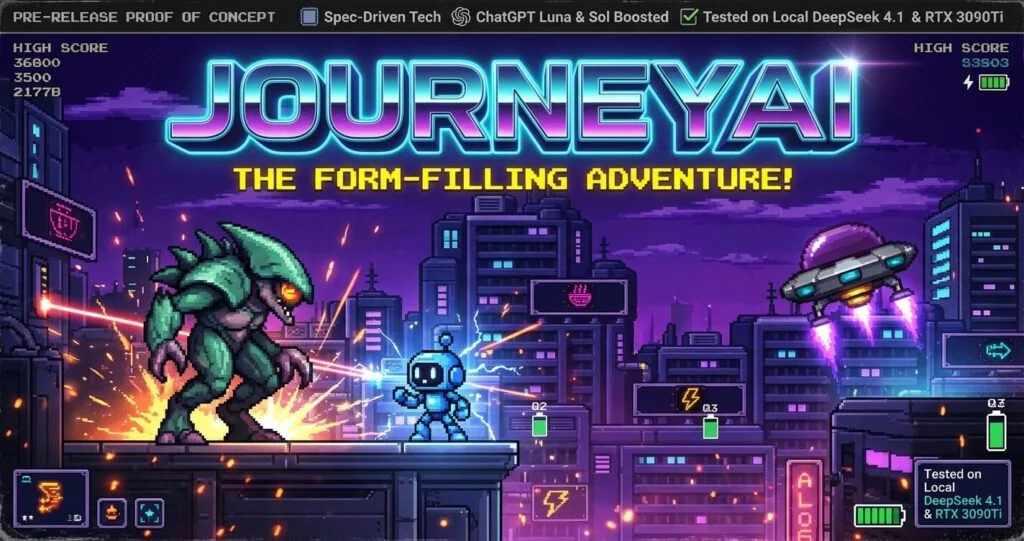
Journey AI Video Game
Traditional forms often feel tedious, causing drop-offs and rushed answers. Journey AI is a proof of concept exploring whether embedding forms inside a video game boosts engagement.
Follow the build: Journey AI Video Game
JourneyAI is a proof-of-concept project exploring whether embedding form-filling inside a video game makes answering questions more fun, engaging, and interesting. Instead of presenting users with a standard, static set of fields, it reimagines data collection as an interactive game experience where progression and play keep participants invested.
Traditional forms often suffer from fatigue, rushed entries, and drop-offs, especially when gathering detailed or nuanced input. By turning those prompts into game mechanics, JourneyAI tests whether playfulness lowers friction and encourages people to stay through the full workflow.
The project is built using a custom methodology combining Spec-Driven Development with project management principles, alongside a multi-harness workflow designed to optimize token usage. Heavy lifting is handled via ChatGPT (including Luna and Sol), while DeepSeek 4.1 Flash runs locally on an RTX 3090 Ti to evaluate local model capabilities and practical limitations.
Ultimately, the proof of concept aims to validate how game-driven engagement shapes the user experience—such as whether players enjoy the process more, complete forms at higher rates, and provide more thoughtful answers than they would on a conventional form—while also serving as a testbed for hybrid cloud-and-local AI workflows.
Latest update: I manage to publish the first alpha version of the video game.
What I learned: Right now, we have a working prototype.
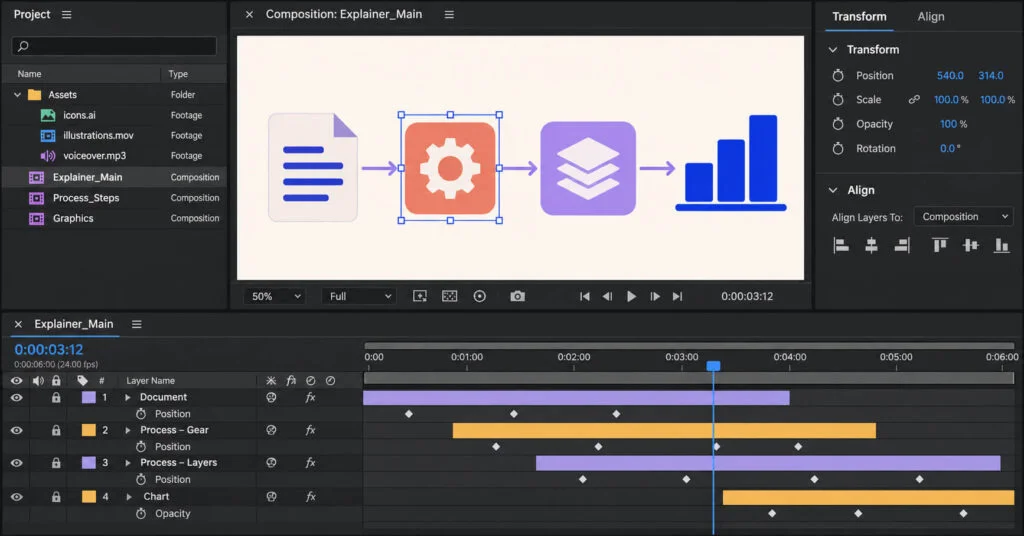
Can I Build a Motion Graphics Generator for My Explainer Videos?
I’m exploring whether an app can turn a short prompt and source files into motion graphics for explainer videos, let me revise scenes in plain language, and export a usable MP4.
Follow the build: Can I Build a Motion Graphics Generator for My Explainer Videos?
I want to start making explainer videos for the Not A Programmer YouTube channel. Some ideas are easier to show in motion. A workflow can appear one step at a time as I explain where the data goes. A chart can reveal the change I’m talking about. A short animation can show what happens between two screenshots.
That gives me a practical question to explore. Can I build an app that turns a short description and my source material into motion graphics I can use across several videos?
What I want the app to do
I’d like to start with a prompt such as “Show how monthly financial figures move from a spreadsheet into a chart, and highlight the month when the trend changes.” I could attach the spreadsheet or chart so the app has the actual figures and labels. For a different video, I might attach a document, screenshot, or sketch and describe a completely different scene.
The idea is to connect the app to a model from the provider I choose. I want to see a preview, request changes in plain language, and export the result as a clip I can use in my video editor. MP4 is the first output format I’d like to explore. I’m also interested in adding optional narration so the graphic can reveal each step as the voice explains it.
What I want to find out
- Will it follow the source material? If I give it a spreadsheet, I want the chart to use the actual figures. If I attach a process sketch, I want the animation to preserve the steps and their order.
- Can I revise one part of a scene? If I ask it to hold on the last step for two more seconds, I want the rest of the animation to stay as it was.
- Can the workflow handle different kinds of visuals? A workflow diagram and an animated chart are two ways to test whether the same app can support different explainers.
- What happens when I switch models? I want to see how much of the same workflow can carry over when I change providers, including what files I can attach and how reliably the model follows instructions.
My first experiment
I’ll take one short scene from an explainer I could actually make. I’ll write a brief prompt, attach one source file, and see whether I can get a preview that matches the source. Then I’ll ask for one specific change and try exporting the revised clip to MP4. I’ll check the result in the video editor, where I can judge whether the text is readable and the timing makes sense.
If that works, I’ll try a different type of graphic for a second explainer. I’ll track how long each clip takes from prompt to usable export, including fixes. That will help me decide whether the app is worth building further and when to test a change of model or add narration.
I’m at the idea stage. The first thing I want to learn is whether this workflow can help me make a visual I’d actually put in a video.
Have something that could belong here?
The most useful projects often begin with a real task that is too repetitive, frustrating, or difficult to do today.
Help shape what comes next
What should I build next?
Is there something you repeatedly do, a process that takes too long, or a small tool you wish existed? Tell me about the problem. You don’t need to know how it should be built.
Thanks. Your idea is on my list.
I’ll review it and see whether it could become something useful to build and share. If you included an email, I may follow up with a question.